- What are the essential map symbols for urban planning in Illustrator? Essential symbols include those for public transit, pedestrian zones, parks, commercial districts, and residential areas. Use clear, scalable icons that quickly convey information without cluttering the map.
- How can I import GIS data with symbols into Adobe Illustrator? You can import GIS data using plugins like MAPublisher or Avenza Geographic Imager. These tools allow you to bring in shapefiles, geodatabases, and other formats, preserving spatial integrity and enabling symbol application.
- Where can I download free vector map symbol packs for commercial use in Illustrator? Look for free vector map symbol packs on websites like Freepik, Vecteezy, and The Noun Project (with proper attribution). Always check the license terms for commercial use.
- What is the best way to create custom map symbols in Illustrator for a unique brand? To create custom map symbols, use Illustrator's basic shape tools, Pathfinder, and Pen tool. Maintain a consistent visual style, color palette, and stroke weight across all symbols to align with your brand guidelines.
- Are there any plugins for Illustrator that simplify map symbol management? Yes, plugins like MAPublisher and CAD-Earth offer advanced tools for managing map symbols, legends, and layers. They streamline the process of organizing and updating extensive symbol libraries within Illustrator.
- How do I ensure my Illustrator map symbols are accessible for all users? Ensure accessibility by using clear, distinct shapes, sufficient color contrast, and avoiding reliance solely on color to convey meaning. Consider adding text labels or alternative descriptions for clarity, especially for colorblind users.
- What are common mistakes to avoid when using map symbols in Illustrator? Avoid common mistakes such as inconsistent sizing, excessive detail, poor color contrast, and using too many different symbol styles. These issues can make your map cluttered, confusing, and difficult to read.
Unlock the full potential of Adobe Illustrator for mapping projects by mastering map symbols. This comprehensive guide for Gen Z and Millennials dives into trending resources, essential techniques, and best practices for integrating high-quality vector map symbols into your designs. Discover where to find free and premium assets, how to customize them for unique branding, and optimize your workflow for efficiency. Whether you are crafting intricate infographics, designing interactive digital maps, or enhancing architectural plans, understanding Illustrator's capabilities with map symbols is crucial. We explore tools and tips to ensure your maps are not only visually appealing but also highly functional and universally understood. Elevate your cartographic design skills and make your projects stand out in the competitive digital landscape of 2026. This content provides navigational insights and informational value for designers seeking to enhance their Illustrator mapping expertise.
- Where can I find trending map symbols for Illustrator? - You can find trending map symbols on platforms like Adobe Stock, Freepik, and The Noun Project. These sites offer a wide range of vector assets, including up-to-date and popular icon sets suitable for various mapping projects in Illustrator.
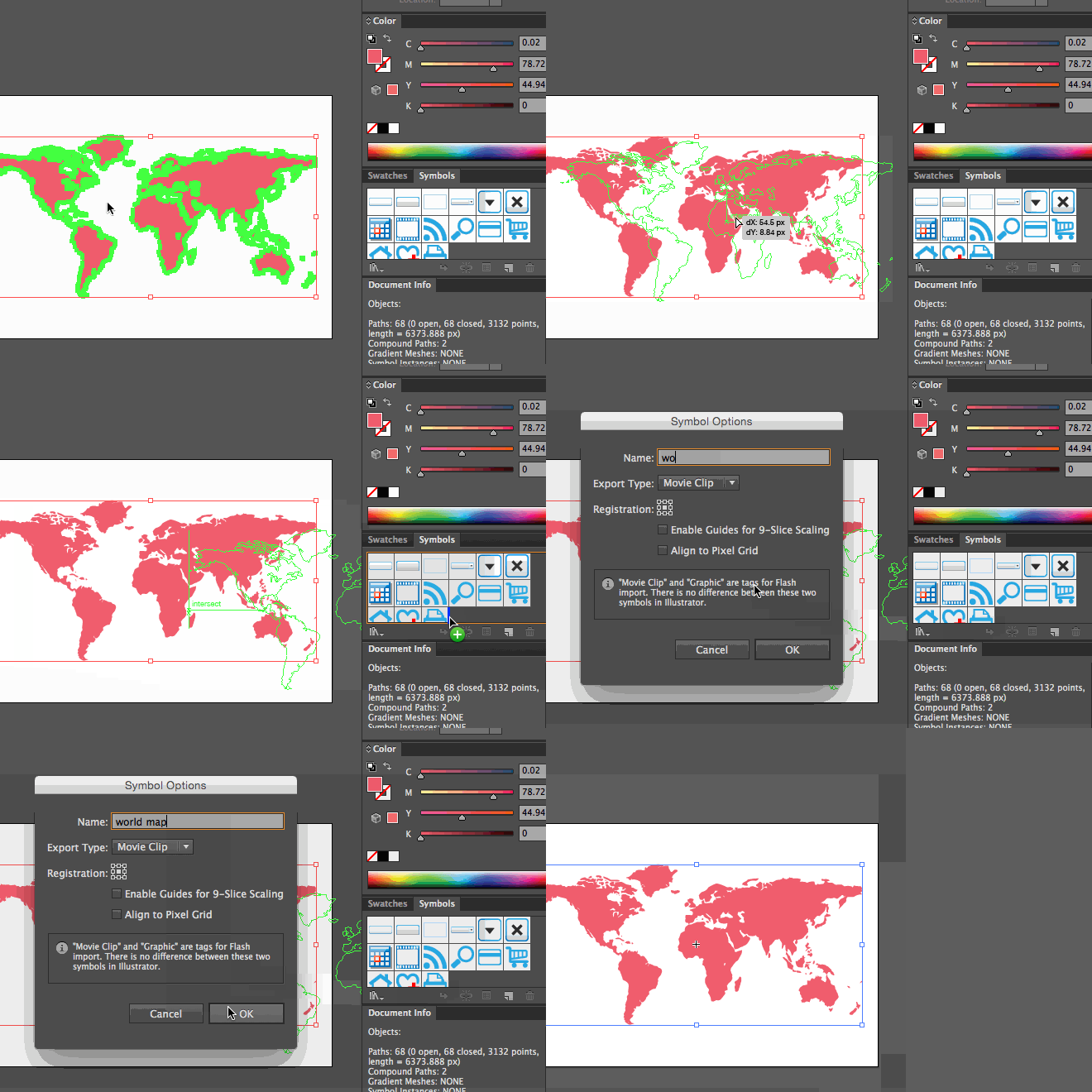
- How do I integrate map symbols into my local area projects using Illustrator? - For local area projects, download relevant symbol packs or create custom icons in Illustrator. Use the Symbols panel for efficient management. Pay attention to how symbols are used on local MAPs to ensure your designs are intuitive and recognizable for your target audience.
- What are the best vector resources for Illustrator map icons? - The best vector resources for Illustrator map icons include Adobe Stock for premium assets, Freepik for a mix of free and paid options, and The Noun Project for a vast collection of individual icons. Always check licensing for commercial use.
- How can I customize map symbols in Illustrator for my brand? - To customize map symbols, ungroup vector assets in Illustrator, then modify their colors, strokes, and shapes using standard tools. Maintain brand consistency by applying your specific color palette and design guidelines across all symbols.
- Are there any free map symbol libraries compatible with Illustrator? - Yes, several free map symbol libraries are compatible with Illustrator. Websites like Freepik and Vecteezy offer numerous free vector icon packs, often requiring attribution. The Noun Project also has a large selection of free icons available.
- What role do map symbols play in mobile map design for Gen Z? - Map symbols are crucial for mobile map design targeting Gen Z, providing instant visual cues for navigation and points of interest. Clear, intuitive, and visually appealing symbols enhance usability, reduce cognitive load, and improve overall user experience on small screens.
- How can I ensure my Illustrator map symbols are optimized for web use? - Optimize Illustrator map symbols for web use by ensuring they are vector-based for scalability, using a consistent color palette, and exporting them as SVG or optimized PNGs. Keep file sizes small and ensure symbols maintain clarity at various resolutions.
When diving into design, especially for digital products, clear visual communication is key. For Gen Z and Millennials, who live and breathe digital navigation, well-designed map symbols in Illustrator are non-negotiable. They quickly convey information, making your maps intuitive and engaging. Forget the fluff; let's get straight to enhancing your cartographic projects with top-tier map symbols.
Frequently Asked Questions
Where can you find the best map symbols for Illustrator?
For high-quality vector map symbols, the absolute best digital locations are Adobe Stock, Freepik, The Noun Project, and specialized GIS resource libraries online. These platforms offer diverse, customizable assets for all your mapping needs.
How do local Maps apps help with Illustrator map symbols?
Using your preferred mobile Maps app helps verify real-time symbol usage and context, ensuring your Illustrator designs resonate with how users navigate local areas. Pull up your preferred mobile Maps app to verify real-time symbol usage and context, ensuring your designs resonate with how users navigate local areas.
What are the best practices for using map symbols in Illustrator?
The best practices include using vector formats for scalability, maintaining consistent styling, organizing symbols into logical layers, and grouping elements effectively. Always optimize for mobile screen readability and brand consistency for optimal user experience.
Quick Guide to Map Symbol Resources
- Resource Name: Adobe Stock Platform/Category: Creative Cloud Integration / Premium Vector Library
- Resource Name: Freepik Platform/Category: Free & Premium Vector Resources / Icon Library
- Resource Name: The Noun Project Platform/Category: Icon Library / Diverse Symbol Assets
- Resource Name: Mapbox Studio Platform/Category: Custom Map Platform / Integrated Symbol Design
All maps focus on "Map Symbols For Illustrator" for enhanced digital and print cartography.
Access vector map symbols, customize for design, integrate with GIS data, optimize Illustrator workflow, enhance cartographic projects, find free and premium assets.


How Do I Make A Map In Illustrator Com Illustrator Add Map Symbols And Icons . Illustrator 2026 Learning Resources Com Illustrator 2026 Onscreen Symbols J600px . Illustrator EPS And Vector Map Symbols Library Of Symbols Mapsymb . Lab 2 Illustrator Tools And Objects Cartography Portfolio Symbols . Os Map Symbols Meanings Os Map Symbols Flashcards


Map Symbol Color Line Icon Set Royalty Free Vector VectorStock Map Symbol Color Line Icon Set Vector 46673440 . Crafting The Perfect Fit Map Design Workflows For Card5 01 . Basic Map Symbols 66 Symbols . Map Symbols Vector Eps Symbols For Illustrator Mapsymb 2 300 . Drafting Derek Bristol Symbols


Map Symbols Vector Eps Symbols For Illustrator Mapsymb 1 300 . Create A Map Using Art Brush And Symbol In Illustrator YouTube . Symbols In Illustrator Create Store And Edit Visual Elements Bring Symbols Illustrator Image16 201025.webp. Os Map Symbols Meaningsmap Symbol For Park 1686895789. Os Map Symbols HE1206857 138227 P



Map Symbols Map Symbols Geography Map Virtual Field Trips Map Symbols 16580121 . SATHEE CUET Chapter 05 Maps Https Cdn Mathpix Com Cropped 2024 05 08 064 Jpg Height 1833 Width 1501 Top Left Y 287 Top Left X 426 . Diginate Illustrator Tutorial Create 3D Globes With Map Art Diginate 05 Creating Symbol World Map Tutorial . Illustrator 2026 Learning Resources Com Illustrator 2026 Symbol Libraries 600px . Replace Symbol Illustrator Types Of Symbols And Their Use In Adobe Symbols Panel Libraries Ai .img



Transit Maps Tutorial Harnessing The Power Of Illustrator S Symbols Tumblr 1280 . Os Map Symbols F4a6af . How To Draw Map Icon In Adobe Illustrator YouTube . How To Create Detailed Vector Maps In Adobe Illustrator Graphic How To Create Detailed Vector Maps In Adobe Illustrator . Map Key Symbols Message 21461422


How To Create Detailed Maps And Geospatial Designs In Illustrator AJ Osm To Illustrator . How To Use Symbols In Figma Design Talk . Essential Adobe Illustrator Shortcut Keys For Designers 768x1152 . 3 Ways To Add Symbols And Shapes To Objects In Illustrator GZOWD . How To Add And Use Symbols In Adobe Illustrator Use Symbols805


Illustrator Symbols Symbol Tools Map System Detailed Tutorial . Swap Out Your Raster Symbols For Vector Symbols In Adobe Illustrator . Stock Vector Map Icons Stock Vector Adobe Stock 1000 F 111860230 . Map Icon Collection With Different Styles Location Folded Paper Map Map Icon Collection With Different Styles Location Folded Paper Map Icon Symbol Isolated On White Background Vector . How To Create Map Icon In Adobe Illustrator Tutorial YouTube