Unlock your creative potential in Roblox with this comprehensive guide on how to Lua script Roblox. For the average US gamer, balancing work, family, and a love for gaming, learning to script might seem daunting. However, this resource breaks down the process, making it accessible and enjoyable. Discover how scripting can personalize your Roblox experience, optimize gameplay, and even become a relaxing hobby that enhances your social interactions within the platform. We cover everything from setting up Roblox Studio to understanding basic Lua syntax, troubleshooting common issues, and finding valuable resources. Dive into the world of game creation, build custom tools, or simply add unique flair to your favorite experiences without the overwhelm. This guide empowers you to transform your playtime into creation time, helping you make the most of your limited gaming hours and truly connect with the vibrant Roblox community, reflecting current trends where 87% of US gamers play regularly, often for over 10 hours a week.
How do I write my very first Lua script in Roblox Studio?
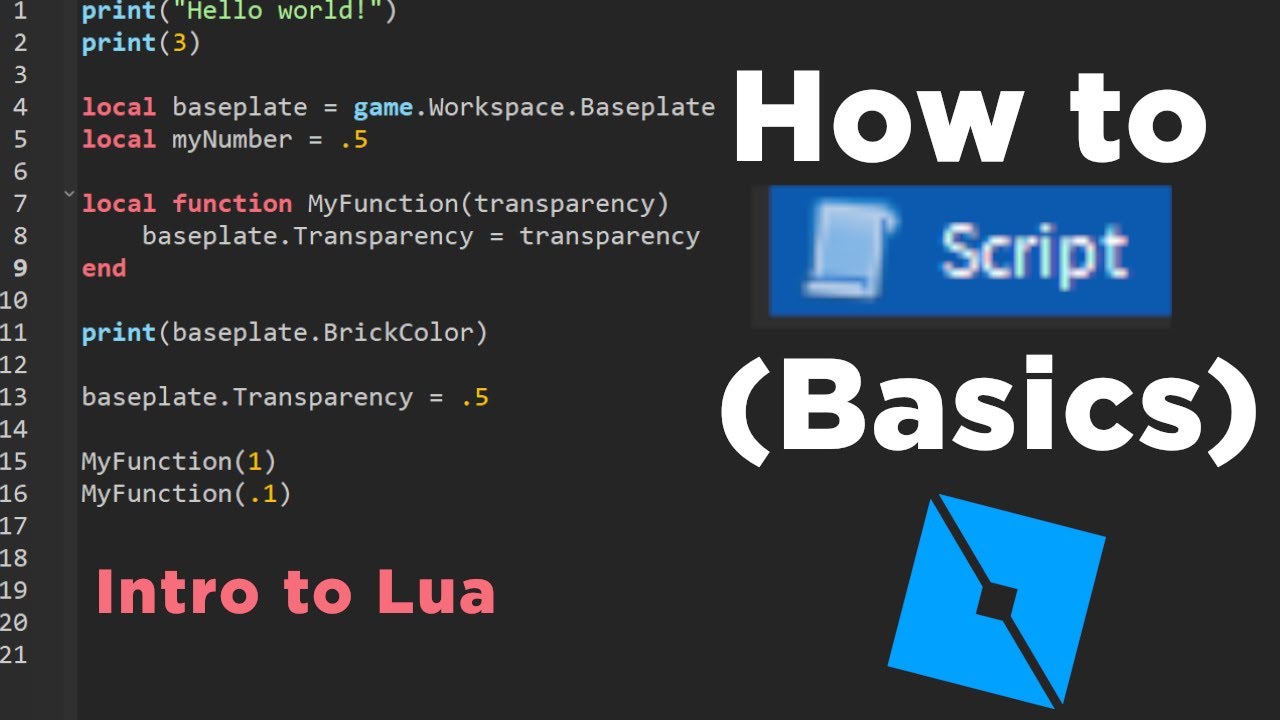
To write your first script in Roblox Studio, open Studio and create a new Baseplate experience. In the Explorer window, right-click 'Workspace,' hover over 'Insert Object,' and click 'Script.' In the new script editor, delete 'print("Hello world!")' and type 'game.Workspace.Baseplate.Color = Color3.fromRGB(255, 0, 0)' to make your baseplate red. Run the game by clicking 'Play' in the Home tab. This simple line of code changes a property of an object.
What are the basic commands I need to know for Roblox Lua?
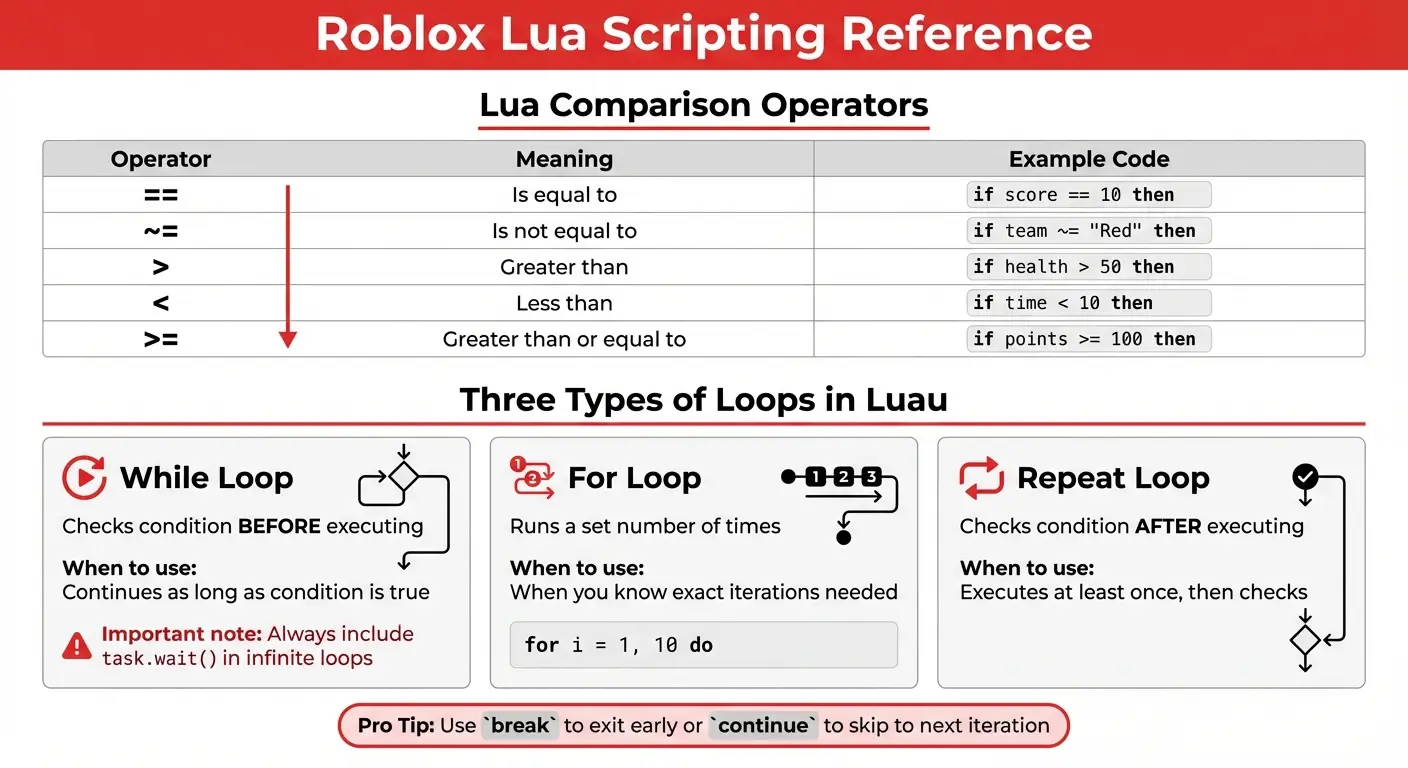
Essential basic commands for Roblox Lua include 'print()' for outputting messages to the console, 'local' for declaring variables, 'if then else' for conditional logic, 'for loops' for repetition, and basic object manipulation like 'game.Workspace.Part.Position' or 'game.Players.LocalPlayer.Character.' Understanding how to reference objects using dot notation (e.g., 'game.Workspace.MyPart') is also fundamental to interacting with your game world.
Where can I test my Roblox Lua scripts safely?
You can safely test your Roblox Lua scripts directly within Roblox Studio. Use the 'Test' tab in the ribbon bar. Options like 'Play,' 'Run,' and 'Play Here' allow you to simulate the game environment without publishing your changes to the live Roblox platform. The 'Output' window in Studio will display any errors or print statements from your script, making it an indispensable tool for debugging and verification.
Why is understanding Roblox's object model crucial for scripting?
Understanding Roblox's object model is crucial because it defines the hierarchy and relationships of every element in your game. Every part, player, script, and UI element is an 'object' with specific properties and functions. Your scripts need to know how to navigate this hierarchy (e.g., game.Workspace.Part) to interact with and modify these objects effectively. A solid grasp of the object model allows you to confidently target and manipulate game elements through code.
What's a simple project a beginner can script in Roblox?
A great simple project for beginners learning how to Lua script Roblox is creating a 'teleport part.' Place two parts in your game. Script one part so that when a player touches it, their character's position is changed to the position of the second part. This introduces event handling ('Touched'), accessing player characters, and modifying an object's position property, all fundamental concepts for future projects.
How do events and functions work in Roblox Lua scripting?
In Roblox Lua, events are actions that occur (e.g., a player touching a part, a mouse click) that your script can listen for. Functions are blocks of code designed to perform a specific task; they are often 'connected' to events to execute when that event fires. For example, you might create a function to open a door, and then connect that function to a 'Touched' event on a button part. This modular approach makes code organized and reusable.
When should I use local scripts versus server scripts?
You should use Server Scripts for game logic that needs to be synchronized across all players, like managing game states, leaderboards, or player data, and for anything related to security (e.g., damage calculation, item spawning). Use Local Scripts for client-side functionality that only affects a single player, such as updating UI elements, handling player input, or creating visual effects unique to that player. This distinction is vital for both security and performance optimization.
Are you one of the millions of US gamers who loves diving into Roblox experiences, maybe after a long day of work or once the kids are tucked in? You know that feeling when you're playing a game and a little voice in your head thinks, 'Wouldn't it be cool if this did X, Y, or Z?' Or perhaps you've seen incredible custom games and wondered, 'How do people even make those?' You're not alone. Many gamers, an estimated 87% of whom play regularly for over 10 hours a week, crave more than just consumption; they want to create, to personalize, to leave their mark. But for busy adults balancing jobs and families, the idea of 'learning to code' can feel like just another chore. This guide is here to tell you that learning how to Lua script Roblox isn't just for full-time developers; it's a powerful, rewarding skill that busy gamers can absolutely master, enhancing their relaxation, skill-building, and social play in meaningful ways. Roblox Studio is free, making it a budget-friendly way to explore a new hobby. Let's unlock your creative potential and transform your Roblox experience.
What Exactly is Lua Scripting in Roblox Studio?
Lua scripting in Roblox Studio is essentially the brain behind any interactive element or custom behavior within a Roblox game or 'experience.' Lua is a lightweight, powerful, and relatively easy-to-learn programming language. Roblox Studio provides a complete environment where you can write Lua code to make things happen: from opening doors and making characters jump higher to creating complex combat systems, managing inventories, or even building entire virtual worlds. It's how creators bring their imaginative ideas to life, making games dynamic and engaging for players. Think of it as giving instructions to the objects and environment in your Roblox world, telling them what to do and when to do it. It's the core skill for anyone wanting to build truly unique and custom content on the platform, contributing to the massive user-generated content trend that dominates gaming this month.
Why Should a Busy Gamer Learn Lua Scripting for Roblox?
For gamers balancing life's demands, learning how to Lua script Roblox offers unique benefits beyond just passing the time. It's a fantastic way to engage your brain in a creative, problem-solving capacity, offering a different kind of relaxation. Instead of passively playing, you're actively building and understanding the mechanics behind the games you love. This can be incredibly satisfying, turning a short gaming session into a productive creative outlet. Furthermore, scripting allows you to personalize your gaming experience, create unique social hubs for friends, or even develop simple games that reflect your specific interests. It's a skill that directly translates into more enjoyable, tailored playtime, and it fosters a deeper connection with the vast Roblox community, a significant draw for many adult gamers. It's about skill-building and value for money, leveraging a free platform to learn a valuable new hobby.
How Do I Get Started with Lua Scripting in Roblox Studio?
Getting started with how to Lua script Roblox is more straightforward than you might think. The first step is to download and install Roblox Studio, which is completely free. Once installed, launch the application and log in with your Roblox account. You'll want to begin by opening a 'New' project, perhaps selecting a 'Baseplate' template for a blank canvas. The key to starting is simply experimenting. In the Explorer window, right-click on 'Workspace' or any object, and insert a 'Script.' This will open the Script Editor where you'll write your Lua code. Don't worry about complex commands initially; begin with simple print statements or changing an object's color. The Roblox Developer Hub is an invaluable resource for beginners, providing clear tutorials and documentation that guide you through your first steps, helping you avoid common setup issues and get right into creation.
What Are the Essential Tools and Features for Roblox Scripting?
Mastering how to Lua script Roblox relies on understanding Roblox Studio's built-in tools. Here are the essentials:
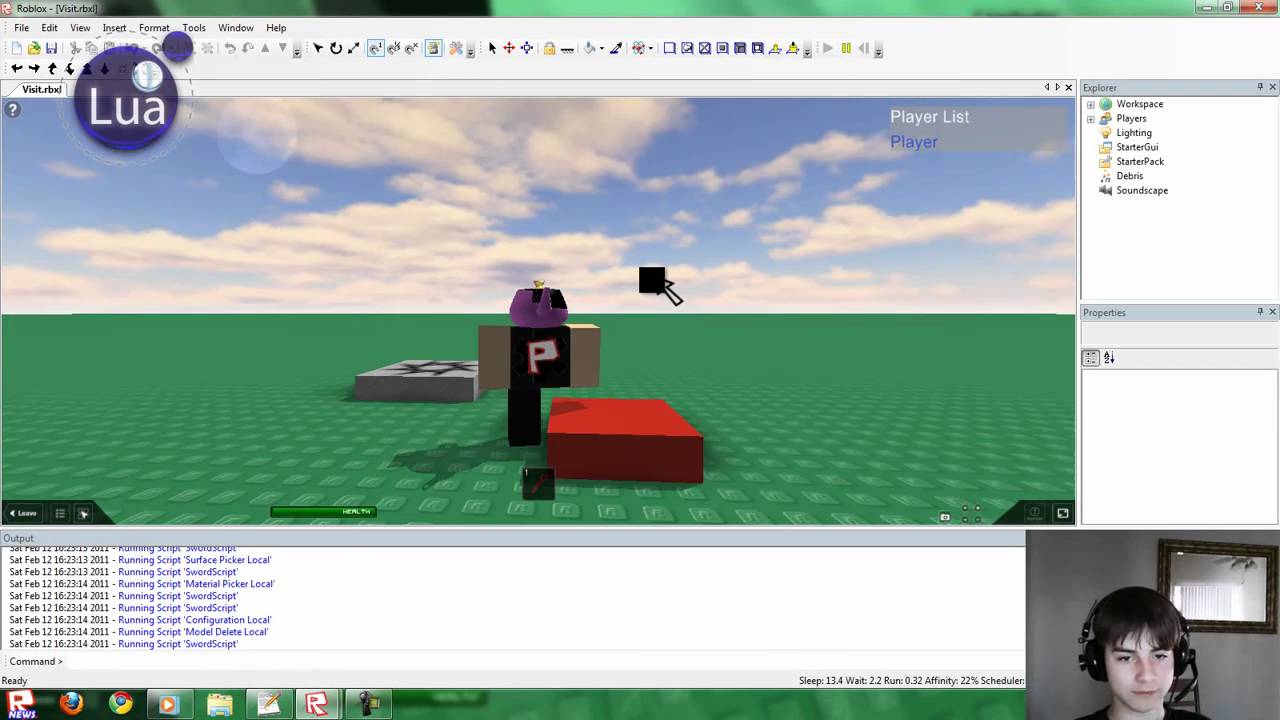
Explorer Window: This shows you all the objects in your game, organized hierarchically. Understanding this is crucial because scripts interact with these objects.
Properties Window: When you select an object in the Explorer, its properties (like color, position, transparency) appear here. Scripts can read and change these properties dynamically.
Script Editor: This is where you write your Lua code. It offers syntax highlighting, auto-completion, and error detection to help you write cleaner code.
Output Window: Your scripts print messages and errors here. It's essential for debugging and understanding what your code is doing (or failing to do).
Toolbox: While not directly for scripting, the Toolbox provides free models, sounds, and plugins. Using community-made assets can significantly speed up development and provide inspiration.
These tools work together to provide a robust development environment, allowing you to build, test, and refine your scripts efficiently. Learning to navigate and utilize these features effectively will dramatically accelerate your scripting journey.
Can I Really Create Complex Games with Lua in Roblox as a Non-Developer?
Absolutely! The beauty of learning how to Lua script Roblox is its scalability. While starting with simple tasks, Lua in Roblox Studio has been used to create incredibly complex and popular experiences enjoyed by millions. Roblox's engine handles much of the heavy lifting (physics, networking, rendering), allowing you to focus on the game logic. Many successful Roblox creators started as self-taught enthusiasts, not professional developers. The platform's extensive documentation, a vibrant developer community, and the accessibility of Lua itself mean that with dedication and consistent learning, even busy individuals can gradually build intricate game mechanics. It's about breaking down large projects into smaller, manageable scripting tasks, fitting into those limited windows of time you have for skill-building. Think about the progression, not the immediate destination.
How Can I Troubleshoot Common Scripting Errors in Roblox?
Troubleshooting is an inevitable part of learning how to Lua script Roblox, and it's a skill that saves immense time. The most common errors usually stem from typos, incorrect capitalization, or trying to access objects that don't exist. Here's a practical approach:
Check the Output Window: This is your best friend. It provides specific error messages, including the line number where the error occurred. Read these messages carefully.
Print Statements: Insert
print("Message here")at various points in your script to see what values variables hold or which parts of your code are executing.Consult the Developer Hub: If an error message is cryptic, search the Roblox Developer Hub. It often has explanations and solutions for common issues.
Use the Debugger: Roblox Studio has a built-in debugger. You can set breakpoints to pause your script's execution and inspect variable values step-by-step.
Community Forums: The Roblox Developer Forum is an excellent place to ask specific questions and get help from experienced scripters. Many gamers find solutions there, reflecting the strong social aspect of modern gaming.
Patience and systematic checking are key to overcoming scripting hurdles, transforming frustration into learning opportunities.
Are There Resources for Learning Lua Scripting Quickly for Roblox?
For those eager to learn how to Lua script Roblox efficiently, many excellent resources exist. The official Roblox Creator Hub is the absolute best starting point, offering structured tutorials for all skill levels. YouTube channels like AlvinBlox, TheDevKing, and GnomeCode provide video tutorials that break down complex concepts into digestible segments, perfect for visual learners or those who want to watch during a quick break. Online coding platforms also offer Lua courses, though focusing specifically on Roblox's implementation is often more beneficial. Don't overlook the Roblox Developer Forum for community-driven guides and answers to specific questions. Many of these resources are free, aligning with a budget-friendly approach to expanding your gaming skills. Consistent, short learning sessions are more effective than infrequent, long ones for busy schedules.
How Does Lua Scripting Enhance My Social Gaming Experience in Roblox?
Lua scripting can profoundly enhance your social gaming on Roblox. Beyond just playing games, you can create custom private servers for you and your friends with unique rules or mini-games you've designed. Imagine building a personalized hangout spot or a challenging obstacle course tailored to your group's inside jokes. You can script custom tools or emotes that only your friends can use, creating a more exclusive and fun social environment. This level of customization fosters deeper connections and shared experiences, turning Roblox into a truly unique virtual playground for your circle. In an era where mobile gaming and social interaction are paramount, leveraging scripting to build these bespoke social spaces makes your Roblox time more meaningful and memorable, appealing to the desire for connection among adult gamers.
What Kind of Beginner Projects Can I Build with Lua Scripting in Roblox?
Learning how to Lua script Roblox doesn't mean you need to build the next Adopt Me! overnight. Starting with small, achievable projects is key. Here are some excellent beginner project ideas:
Color Changing Parts: Script a part to change color when touched or after a certain time interval.
Door Scripts: Create a simple door that opens when a player touches it and closes after a few seconds.
Teleporters: Build two parts; touching one teleports the player to the other.
Clicker Game: A basic game where clicking a part increases a score, displayed on a leaderboard.
Obstacle Course Traps: Script falling platforms, moving obstacles, or disappearing blocks to challenge players.
These projects help you understand core concepts like events, properties, variables, and functions without overwhelming you. Each completed project builds confidence and provides a tangible result of your newfound scripting skills.
Is Learning Lua Scripting Worth the Time Investment for Casual Players?
For the casual gamer, especially those balancing a busy life, the question of time investment is critical. Learning how to Lua script Roblox is absolutely worth it if you value creativity, personalization, and a deeper understanding of the games you play. It's not about becoming a professional developer, but about enhancing your personal enjoyment and engagement with a platform you already love. Even dedicating just an hour a week to learning can lead to noticeable progress and the ability to create cool, custom elements. It transforms passive consumption into active creation, offering a rewarding mental break. Plus, the skills you learn in problem-solving and logical thinking are transferable far beyond Roblox. It's a low-cost, high-reward hobby that provides long-term satisfaction and a fresh perspective on your gaming adventures.
After all, gaming for many of us is about relaxation, skill-building, and connecting with others. Learning to script in Roblox taps into all these elements, offering a unique blend of fun and personal growth.
Frequently Asked Questions About Roblox Lua Scripting
What is the best way to practice Lua scripting for Roblox?
The best way to practice is hands-on experimentation within Roblox Studio. Start with small, specific goals like making a part move or changing a player's properties. Utilize the 'Test' tab in Studio to quickly run and debug your scripts. Consistent, short sessions are far more effective than infrequent, long ones. Always try to understand 'why' something works or breaks, not just 'how' to fix it.
Do I need prior coding experience to learn Lua for Roblox?
No, prior coding experience is not strictly necessary. Lua is often recommended as a first programming language due to its simple syntax and clear structure. Roblox Studio provides an incredibly forgiving and accessible environment for beginners. Many tutorials specifically cater to those with no coding background, guiding you step-by-step through the basics. Your passion for gaming is often the best motivator.
What is the difference between a Local Script and a Server Script?
This is a fundamental concept in Roblox scripting. A Server Script runs on the Roblox server and affects all players in the game (e.g., game rules, global events). A Local Script runs only on a specific player's computer and primarily handles client-side actions, like UI interactions, player input, or visual effects that only that player needs to see. Understanding this distinction is crucial for secure and efficient game development, impacting performance and preventing exploits.
How important is the Roblox Developer Hub for learning?
The Roblox Developer Hub is incredibly important; it's practically essential. It serves as the official, comprehensive documentation for all things Roblox development, including Lua API references, detailed tutorials, and best practices. It's kept up-to-date with the latest features and changes. Consider it your primary textbook and reference manual for learning and solving scripting challenges. Consistent use of the hub will solidify your understanding and accelerate your learning journey.
Can I earn Robux by Lua scripting in Roblox?
Yes, many creators earn Robux by developing popular experiences in Roblox. If your game attracts a significant player base, you can earn Robux through Engagement Payouts (based on player time spent), selling game passes, developer products (in-game purchases), or premium payouts. It's a competitive field, but with creativity and quality scripting, it's definitely possible to turn your hobby into a source of income, mirroring trends in the creator economy.
What are good habits for a beginner Roblox scripter?
Good habits include: starting small, commenting your code clearly to remember what it does, saving frequently, backing up your work, testing your scripts often, learning from errors, and actively engaging with the Roblox developer community. Consistency in practice and a willingness to troubleshoot are key. Don't be afraid to experiment and break things – that's how you learn!
How do I stay updated with the latest Roblox scripting features?
To stay current, regularly check the Roblox Creator Hub for announcements and release notes, follow official Roblox developer blogs and social media channels, and participate in the Roblox Developer Forum. Many popular Roblox development YouTubers also provide updates on new features and scripting techniques. The platform evolves rapidly, so staying informed is key to leveraging new capabilities and optimizing your creations.
Learning how to Lua script Roblox is a journey, not a destination. It's a fantastic way to connect with your passion for gaming, build valuable skills, and unlock a whole new dimension of creativity. Whether you're aiming to build the next big hit or just want to customize your private server for friends, the tools and resources are readily available. So, what's holding you back from creating your unique mark on the Roblox metaverse? What's your biggest gaming challenge or creative idea you'd love to bring to life? Comment below!
Learn to personalize Roblox experiences, Understand basic Lua scripting in Roblox Studio, Discover resources for quick learning, Troubleshoot common scripting problems, Enhance social gaming with custom creations, Balance creativity with busy schedules, Create unique games and tools, Optimize your Roblox gameplay with custom scripts.
35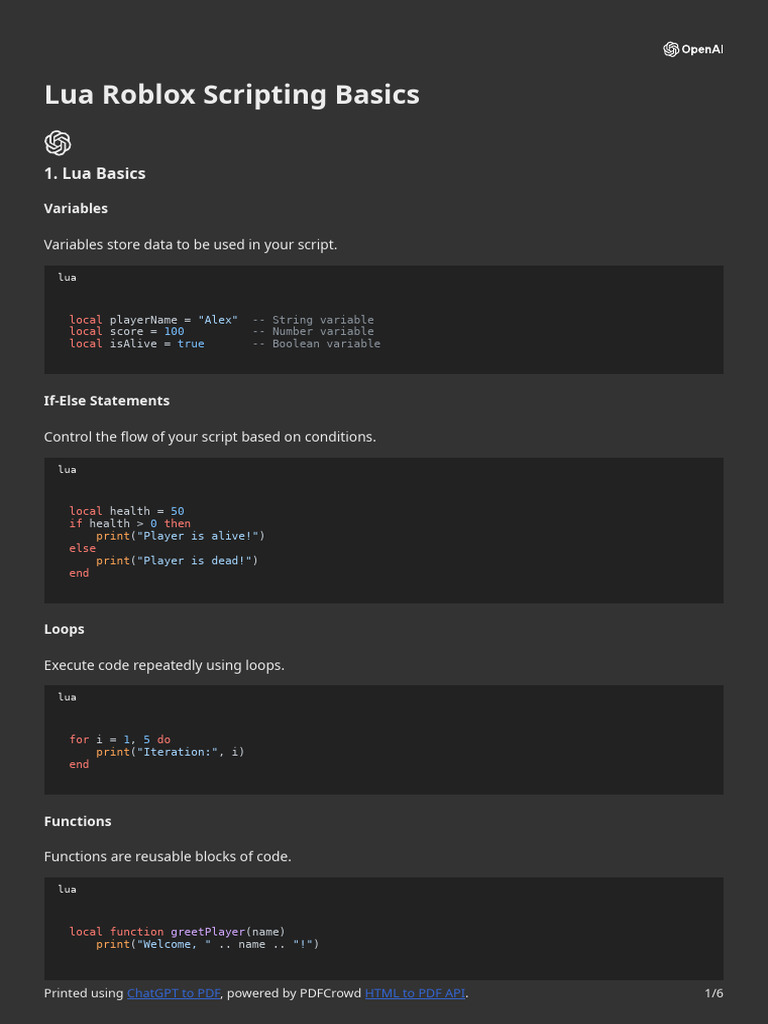
Roblox Lua Scripting Basics Guide PDF Control Flow Scripting Language 1. How To SCRIPT In Roblox 1 Intro To Lua YouTube . Roblox Lua Scripting Basics For Beginners CodaKid Roblox Lua. Roblox Lua . The Ultimate Roblox Lua Scripting Guide YouTube


Roblox How To Script For Beginners 1 Roblox Lua Variables YouTube . How To Start Learning Lua Scripting Roblox Roblox Video Tutorials . How To CREATE RUN And EXECUTE A Luau Script In Roblox Roblox Studio . Mastering Roblox Lua In Minutes Roblox Lua Script.webp. WHAT IS DEBOUNCE Roblox Lua Script YouTube

ROBLOX Lua Scripting Tutorial 1 Basics And Navigating Studio YouTube Hqdefault . Roblox Lua Scripting Tutorial Functions YouTube . Mastering Roblox Lua Scripts In No Time R6 Lua Script.webp. Mastering Roblox Lua Scripts In No Time Stand Lua. Roblox Lua Scripting Tutorial 7 How To Use Functions YouTube

What Are Lua Scripts In Roblox And How Do I Use Them Lua. Beginners Roblox Lua Scripting Tutorial Crash Course YouTube . Roblox Lua Script Mastering Basics In Simple Steps Lua Script.webp. How To Script In Roblox Studio 2022 For Beginners Roblox Lua . Tutorial Roblox How To Create A Lua Script And Use Print Function Hqdefault
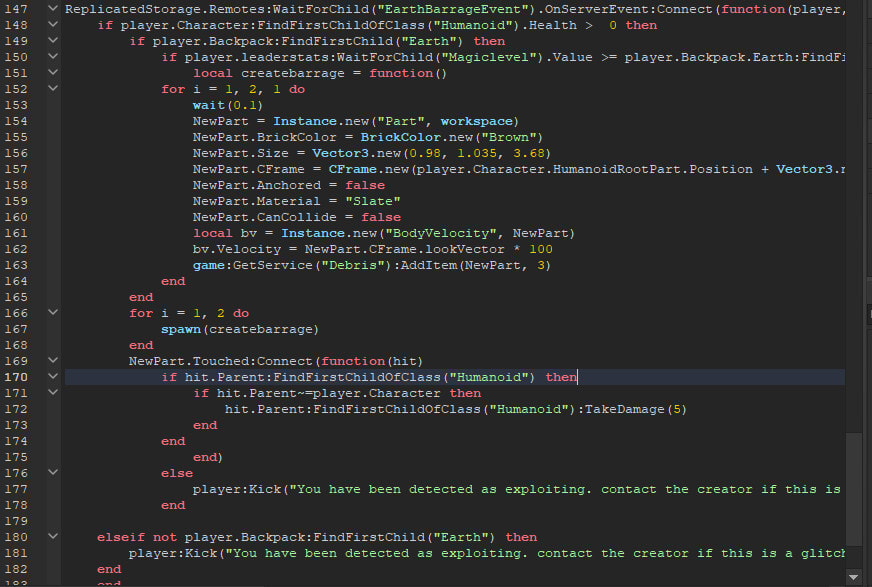
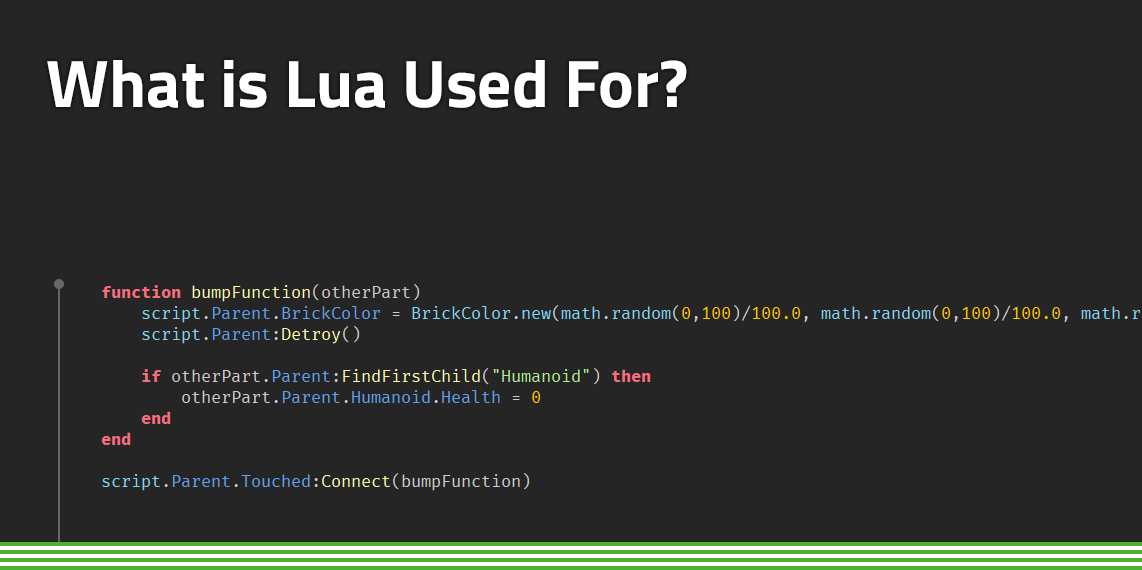
Mastering Roblox Lua In Minutes How To Learn Lua For Roblox.webp. Mastering Lua Scripting Your Path To Coding Mastery Teach You The Basics Of Roblox Lua Scripting 31ab . What Are Lua Scripts In Roblox And How Do I Use Them Lua Scripts Roblox. Roblox Lua Script Mastering Basics In Simple Steps Logitech Lua. What Is Lua Used For Common Including Roblox FunTech Blog What Is Lua Used For



Come Mettere Uno Script LUA Su Logitech G HUB Tutorial 2026 Logitech . How To Add Lua Script To Roblox TechBloat SL160 . Roblox Lua Scripting 2026 Guide For Kids CodaKid Roblox Studio.webp. How To Create A Roblox Game Using Scripting Language Lua How To Create A Game Using Roblox Scripting Language Lua . Roblox Lua Scripting 2026 Guide For Kids CodaKid Generated Image October 30 2025 10 45AM.webp


Roblox Lua Learning Made Easy Quick Guide For Starters Redis Lua Script.webp. What Are Lua Scripts In Roblox And How Do I Use Them Make Any Fully Roblox Lua Script . To Lua Roblox Scripting Basics YouTube . Develop Roblox Lua Script Game Mechanics Roblox Lua Coding Custom Develop Roblox Lua Script Game Mechanics Roblox Lua Coding Custom System Roblox . Mastering Roblox Lua Scripts In No Time Roblox Lua