Ever wondered what is ping on Roblox and why it makes your game feel sluggish? This comprehensive guide dives deep into understanding latency in Roblox, a crucial factor for a smooth gaming experience. For the average gamer, often juggling work, family, and limited play time, nothing is more frustrating than lag. High ping can turn an epic Roblox adventure into a frustrating stutter-fest, hindering your ability to relax, compete, or socialize effectively. We'll explore exactly what ping means in the context of Roblox, how to easily check your current latency, and what numerical values constitute a "good" ping. More importantly, this article provides practical, actionable steps and expert tips to diagnose and significantly reduce high ping. Whether you're playing on PC, mobile, or console, optimize your connection to ensure a seamless, enjoyable Roblox session every time. Discover simple tweaks to your setup and network settings that can dramatically improve your gameplay, making your precious gaming moments more rewarding.
What exactly is ping in Roblox and why does it matter to me?
Ping, also known as latency, is the measurement of how long it takes for a data signal to travel from your gaming device to the Roblox server and then back again, typically measured in milliseconds (ms). It matters immensely because it directly affects how responsive your game feels. High ping means a noticeable delay between your actions (like moving your character or clicking a button) and when those actions register in the game, leading to frustrating lag, stuttering, and an overall choppy experience that can ruin your fun and hinder your performance.
How do I know if my ping is high in Roblox, and how can I check it?
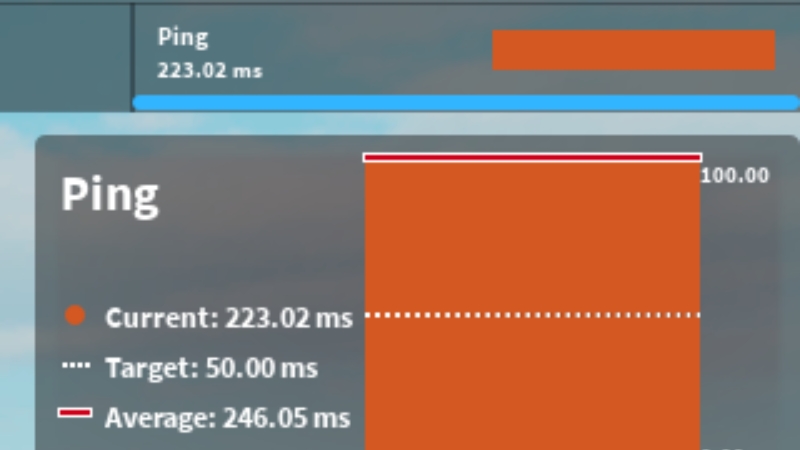
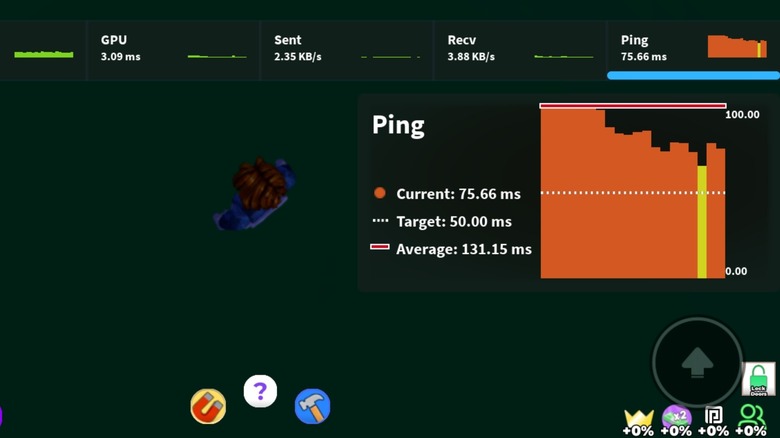
You'll notice high ping through symptoms like delayed actions, characters teleporting (rubber-banding), or general choppiness. To check your exact ping in Roblox, simply open the game, press F9 to bring up the Developer Console, and navigate to the 'Client' tab. There, you'll see a 'Ping' value displayed in milliseconds, giving you a real-time indication of your connection quality to the game server.
What's considered a good ping score for playing Roblox smoothly?
For a truly smooth and enjoyable Roblox experience, a ping score under 50ms is excellent, offering virtually no noticeable delay. A ping between 50-100ms is still considered good and very playable for most users, though very sensitive players might detect slight delays. Once your ping consistently exceeds 150ms, you'll experience significant lag that makes many Roblox games frustrating and difficult to play effectively.
What are the main reasons my Roblox ping might be so high?
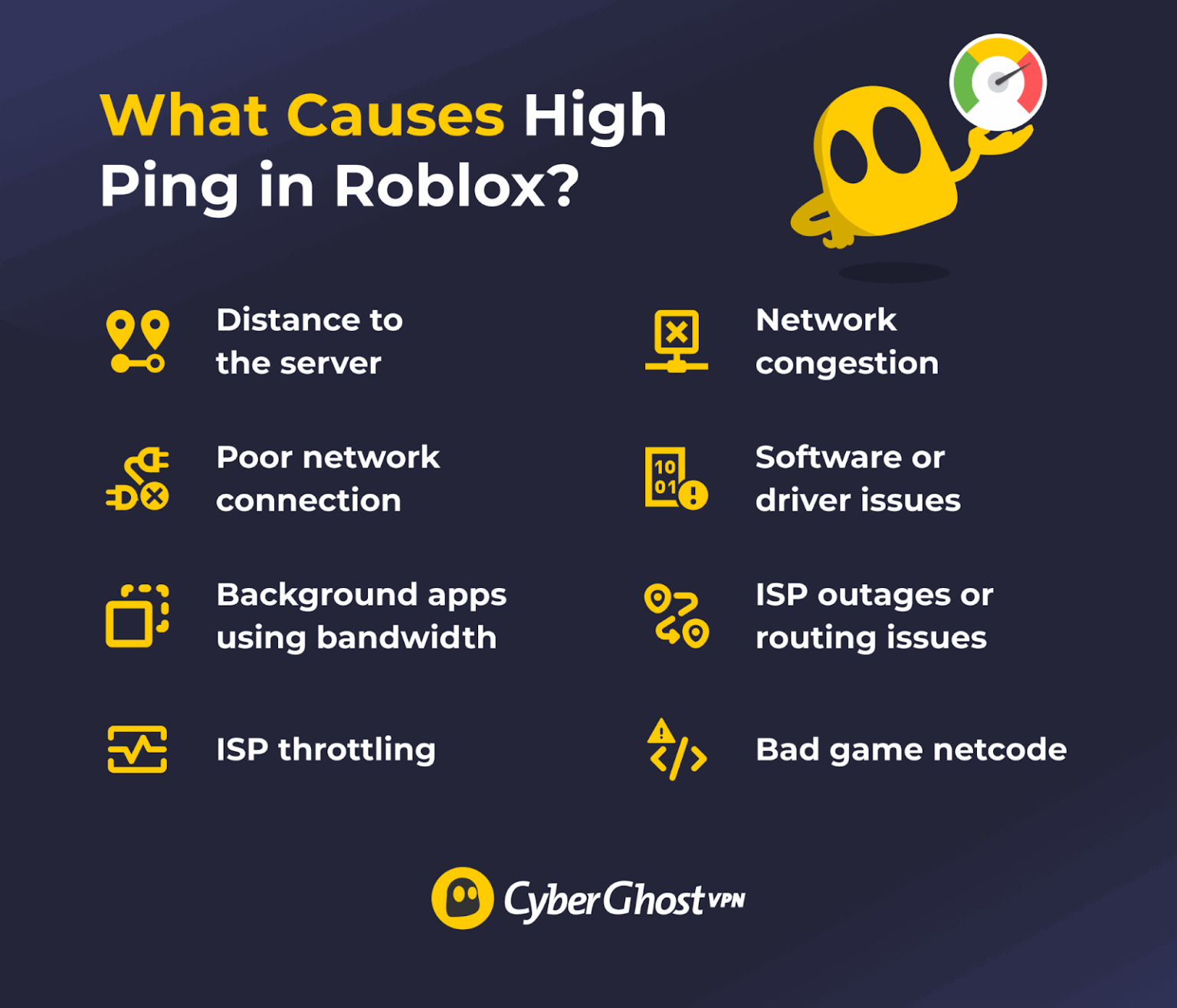
High Roblox ping commonly stems from several issues. These include your geographical distance from the Roblox game server, congestion on your local internet network (e.g., family members streaming 4K video), an unstable or weak Wi-Fi connection, an outdated router, or background applications on your device consuming bandwidth. Sometimes, the issue can even be with your Internet Service Provider's network routing or general local congestion.
What are the simplest steps I can take right now to lower my Roblox ping?
The simplest and often most effective steps include: first, restarting your router and modem; second, connecting your gaming device directly to your router with an Ethernet cable instead of Wi-Fi; third, closing all unnecessary background applications and browser tabs on your computer; and fourth, asking others on your network to temporarily pause bandwidth-heavy activities like streaming or large downloads. These actions can often provide an immediate improvement.
Does my internet connection type (Wi-Fi vs. Ethernet) really impact Roblox ping significantly?
Yes, absolutely. Connecting via an Ethernet cable (wired connection) almost always results in lower and more stable ping compared to Wi-Fi. Wi-Fi signals are susceptible to interference from other devices, physical obstructions, and distance from the router, all of which can introduce latency and packet loss. Ethernet provides a direct, consistent data path, minimizing these issues and significantly improving your Roblox ping and overall network reliability.
Can specific settings within Roblox or my computer help reduce lag?
While Roblox's in-game graphics settings primarily affect your frame rate (FPS) rather than ping, ensuring your Roblox client and graphics drivers are updated can improve overall stability, which indirectly helps. On your computer, setting your power plan to 'High Performance' (Windows) and ensuring your firewall or antivirus isn't overly aggressive towards Roblox's network traffic can also contribute to a smoother, less laggy experience. However, these are secondary to addressing core network issues.
We all know the feeling. You finally carve out some precious time after a long day of work and family duties, settle down for a quick session on Roblox, ready to unwind with friends or build something amazing. Then it hits: that frustrating stutter, the delayed actions, the feeling of playing catch-up. Your character teleports, your inputs don't register, and suddenly, the relaxation you sought is replaced by irritation. For many of us, gaming isn't just a hobby; it's a way to de-stress, connect with others, and even build skills, making performance issues like lag a real buzzkill. This common enemy of smooth gameplay, especially prevalent in online titles like Roblox, often boils down to one key factor: ping. Understanding what is ping on Roblox and, more importantly, how to manage it, is crucial for turning those choppy experiences into consistently enjoyable ones.
As busy adults, we value efficiency and reliability, even in our leisure. With 87% of US gamers regularly dedicating an average of 10+ hours a week to their passion, often balancing it with demanding lives, optimizing our gaming setup is less about chasing hype and more about ensuring our limited time is well-spent. Roblox, with its immense popularity across PC, mobile, and console, and its strong emphasis on social play, is particularly sensitive to network performance. This guide is your practical handbook to demystifying ping on Roblox, offering clear explanations and actionable solutions so you can spend less time troubleshooting and more time enjoying the vast, creative worlds Roblox offers. Let's dive into how you can take control of your connection and make every Roblox session as smooth as possible, even if you only have a few minutes to spare.
What Exactly is Ping on Roblox?
Ping, often used interchangeably with latency, measures the time it takes for data to travel from your gaming device to the Roblox server and back again. Think of it as a round-trip time for a tiny data packet. When you press a key or click your mouse in Roblox, that action sends data to the server, and the server then sends a response back to update your game world. The lower your ping, the faster this communication happens, resulting in a more responsive and seamless gameplay experience. High ping means significant delays, leading to lag, stuttering, and disorienting gameplay, making precise movements or quick reactions nearly impossible. It's a fundamental aspect of online gaming performance that directly impacts your ability to enjoy any multiplayer title, including your favorite Roblox experiences.
Why Does High Ping Ruin My Roblox Experience?
High ping in Roblox translates directly to noticeable lag, which can severely diminish your enjoyment and performance. Imagine trying to dodge an obstacle in an obby or aiming accurately in a PvP game when your actions are delayed by half a second or more; it's incredibly frustrating. This delay often causes rubber-banding, where your character appears to snap back to a previous position, or hit registration issues, where your shots don't seem to connect. For adult gamers who value their limited free time and often seek relaxation or social connection through gaming, these performance problems can quickly turn fun into frustration. High ping makes competitive play unfair, cooperative games irritating, and even simple exploration feel cumbersome, directly impacting the quality of your gaming sessions and your ability to connect with friends in-game.
How Can I Check My Ping in Roblox?
Checking your ping in Roblox is straightforward and an essential first step in diagnosing any lag issues. While Roblox doesn't have a constantly visible ping display like some other games, you can easily access it through the in-game developer console. Here's how:
- Open the Roblox game you're playing.
- Press F9 on your keyboard to open the Developer Console. If you're on a Mac, you might need to use Fn+F9.
- In the console window that appears, look for the 'Client' tab.
- Within the Client tab, you'll see various statistics. Locate the 'Ping' value, usually displayed in milliseconds (ms). This number represents your current latency to the Roblox server you're connected to.
Regularly checking this can help you identify if a specific server or time of day consistently gives you higher ping, allowing you to make informed decisions about when and where to play.
What's Considered Good Ping for Roblox?
When it comes to ping, lower numbers are always better. For Roblox, here's a general guideline for what's considered good:
- Excellent Ping (Under 50ms): This is ideal. You'll experience virtually no noticeable delay, and your gameplay will feel incredibly smooth and responsive. This is perfect for competitive games and precision-based experiences.
- Good Ping (50-100ms): Still very playable. Most players won't notice significant lag at this range, though very sensitive players might detect slight delays in fast-paced scenarios. This is perfectly fine for casual play, social games, and building.
- Acceptable Ping (100-150ms): You might start to notice some minor delays, especially if you're playing games that require quick reactions. This can be tolerable for slower-paced or less demanding experiences, but it's not optimal.
- High Ping (Over 150ms): At this level, lag becomes very noticeable and will significantly impact your gameplay. You'll likely experience frequent stuttering, rubber-banding, and frustrating delays, making many Roblox games difficult or unenjoyable. This is where you should definitely start troubleshooting.
Aim for under 100ms for a consistently enjoyable Roblox experience. If you find yourself consistently above 150ms, it's time to take action.
What Are the Common Causes of High Ping in Roblox?
High ping isn't usually a mystery; it stems from several common culprits. Understanding these can help you pinpoint the problem and find the right solution. For many adult gamers, these issues often arise from shared networks or outdated equipment.
- Internet Service Provider (ISP) Issues: Sometimes, the problem lies with your ISP. Network congestion in your area, poor routing to Roblox servers, or even a slow internet plan can contribute to high ping.
- Distance to Server: Roblox, like any online game, connects you to a server. If the server you're playing on is geographically far from your location, the data has a longer distance to travel, naturally increasing ping.
- Network Congestion: This is a big one for households. If multiple devices are simultaneously streaming 4K video, downloading large files, or running other bandwidth-intensive applications on your home network, it eats up your internet's capacity, leaving less for Roblox and causing high ping.
- Wi-Fi Instability: While convenient, Wi-Fi connections are inherently less stable and often slower than wired connections. Interference from other devices, distance from the router, or physical obstructions can degrade your Wi-Fi signal, leading to higher ping and packet loss.
- Outdated Router or Modem: Older network hardware might not be capable of handling modern internet speeds or managing multiple connections efficiently, leading to bottlenecks and increased latency.
- Background Applications: Even on your gaming device, other applications running in the background can consume bandwidth or system resources, indirectly affecting your connection to Roblox.
- Roblox Server Issues: Occasionally, the problem isn't on your end but with Roblox's servers themselves. This is rarer but can happen during peak times or maintenance.
Pinpointing which of these factors is most impactful for you is the first step toward a smoother Roblox experience.
How Can I Reduce High Ping and Lag in Roblox?
Conquering high ping in Roblox is often a matter of systematically addressing potential issues. Here are actionable steps you can take to lower your latency and enjoy smoother gameplay:
1. Prioritize a Wired Connection
This is arguably the most impactful change for reducing ping and improving stability. Connect your PC or console directly to your router using an Ethernet cable. Wired connections eliminate Wi-Fi interference, offer faster speeds, and provide a much more stable link to your network, significantly lowering latency.
2. Minimize Network Congestion
- Limit Bandwidth Usage: Ask family members to pause large downloads or streaming during your gaming sessions.
- Close Background Applications: On your gaming device, close any unnecessary apps, browser tabs, or programs that might be using internet bandwidth or system resources. This includes cloud sync services, update downloads, and streaming apps.
- Check Other Devices: Ensure no other devices on your network are performing bandwidth-heavy tasks in the background.
3. Optimize Your Router and Network Settings
- Restart Your Router: A simple router reboot can often clear temporary glitches and improve performance. Unplug it for 30 seconds, then plug it back in.
- Update Router Firmware: Check your router manufacturer's website for firmware updates. Newer firmware can improve efficiency and security.
- Enable Quality of Service (QoS): If your router supports QoS, you can prioritize gaming traffic over other data on your network. Consult your router's manual for specific instructions.
- Consider a Gaming Router: If your budget allows and you're a serious gamer, a modern gaming-specific router can offer superior performance, better QoS features, and more robust signal handling.
4. Choose the Right Roblox Server/Region
Roblox often tries to connect you to the best regional server, but sometimes it doesn't. While you can't manually select a server region within Roblox, understanding server locations can help. Playing with friends closer to your geographic location might result in better ping for everyone involved, as the game will likely select a server in that general area.
5. Update Your Device and Roblox Client
- Update Graphics Drivers: Outdated graphics drivers can sometimes cause performance bottlenecks that manifest as lag. Ensure your GPU drivers are up to date.
- Update Roblox Client: Ensure your Roblox client is always updated to the latest version. Developers constantly release optimizations.
- Clear Roblox Cache: Occasionally, a corrupted cache can cause issues. You can clear Roblox's cache files from your app data folder (Windows: %localappdata%Roblox).
6. Consider a VPN (Use with Caution)
While often associated with security, a VPN can sometimes route your connection through a more optimized path to the Roblox server, potentially reducing ping if your ISP's routing is inefficient. However, a VPN adds an extra hop, so it can also *increase* ping. Test different VPN servers and locations to see if it helps, and only use reputable VPN providers.
7. Check Your ISP and Internet Speed
- Run a Speed Test: Use a reliable online speed test (e.g., Speedtest.net) to check your current download, upload, and ping (to a local server). Compare this to your advertised plan.
- Contact ISP: If your speeds are consistently lower than expected or your ping to local servers is high, contact your Internet Service Provider. They might be able to diagnose line issues or offer a plan upgrade if your current one is insufficient for your gaming needs.
By systematically working through these steps, you're likely to identify and resolve the root causes of high ping, leading to a much more enjoyable and responsive Roblox experience.
Does My Device or Internet Provider Affect Roblox Ping?
Absolutely, both your device and your Internet Service Provider (ISP) play significant roles in determining your Roblox ping. Your ISP is the primary gateway to the internet; their network infrastructure, your internet plan's speed, and their routing efficiency to Roblox servers directly impact how quickly data travels. A cheaper, slower plan or an ISP with congested local networks will inevitably lead to higher ping. Similarly, your device matters. While Roblox isn't extremely demanding, an older, less powerful device with limited processing power or RAM can struggle to run the game efficiently, even with a good connection, leading to client-side lag that feels similar to high ping. Furthermore, the network hardware on your device (e.g., a poor Wi-Fi adapter) can also be a bottleneck. So, a robust ISP connection combined with a reasonably capable gaming device creates the ideal foundation for low ping.
Are There Any Advanced Tricks to Optimize Roblox Performance?
Beyond the basics, a few advanced steps can further fine-tune your Roblox experience, especially for those balancing gaming with other demands. For US gamers who often play on both mobile and PC, these tips can be quite useful.
DNS Server Change: Your Domain Name System (DNS) server translates website names into IP addresses. Sometimes, your ISP's default DNS server isn't the fastest. Switching to public DNS servers like Google DNS (8.8.8.8 and 8.8.4.4) or Cloudflare DNS (1.1.1.1 and 1.0.0.1) can sometimes reduce lookup times, leading to a marginally quicker connection. It's a small tweak but can sometimes help.
Firewall/Antivirus Configuration: While essential for security, some firewalls or antivirus programs can be overly aggressive, scanning network traffic and causing slight delays. Ensure Roblox is whitelisted or set as an exception in your security software to prevent it from interfering with your connection. Be cautious, though, and only adjust settings if you understand the implications for security.
Power Settings (PC): On Windows PCs, ensure your power plan is set to 'High Performance' while gaming. This prevents your CPU and other components from throttling down to save power, ensuring they deliver their full potential for Roblox. This can help with overall game performance and indirectly reduce client-side lag.
Experiment with Mobile Data (for Mobile Users): If you're on a mobile device and your home Wi-Fi is terrible, sometimes a strong 5G mobile data connection can offer lower ping than a congested or weak Wi-Fi signal. Test this in areas with good cellular coverage, but be mindful of your data plan limits. With mobile gaming being a significant trend, this can be a lifesaver when you're on the go.
Regular System Maintenance: Keep your operating system clean and free of bloatware. Run regular disk cleanups, defragment your hard drive (if it's not an SSD), and uninstall programs you don't use. A well-maintained system runs more efficiently, dedicating more resources to Roblox and reducing potential internal bottlenecks that can mimic or worsen network lag.
These advanced steps are more about optimizing your system and network environment for peak performance, ensuring that once you've tackled the major ping issues, you're getting every ounce of responsiveness out of your setup.
Understanding and addressing high ping is a game-changer for any Roblox enthusiast, especially for those of us balancing busy lives with our passion for gaming. By implementing the strategies outlined in this guide – from simple reboots to optimizing network settings – you can significantly improve your gameplay, making every moment you spend in Roblox more enjoyable and less frustrating. Remember, a smooth connection means more time having fun and less time troubleshooting. What's your biggest gaming challenge? Comment below!
FAQ Section
What is Packet Loss and How Does it Relate to Ping? Packet loss occurs when data packets sent between your device and the Roblox server fail to reach their destination. It often happens due to network congestion, faulty cables, or poor Wi-Fi. While ping measures delay, packet loss signifies lost data, which can cause even worse lag spikes, freezes, and disconnects than high ping alone, making gameplay incredibly unstable.
Can Roblox's Graphics Settings Affect Ping? No, Roblox's graphics settings primarily affect your device's frame rate (FPS), not your ping. Graphics settings dictate how hard your computer or mobile device has to work to render the game world. If your device struggles with high graphics, you'll experience low FPS, which feels like lag but isn't network-related ping. Lowering graphics can improve performance, but it won't directly lower your network latency.
Is a VPN Always Good for Lowering Roblox Ping? Not necessarily. While some VPNs can, in specific scenarios, improve routing to game servers, they often introduce an additional hop in the data's journey, potentially increasing your ping. A VPN's effectiveness for ping reduction largely depends on your specific location, your ISP's routing, and the VPN server's location and quality. It's best to test it and compare before and after ping values.
Why is My Ping High Only on Certain Roblox Games? If your ping is high only in specific Roblox games, it could be due to several factors. The server for that particular game might be geographically far from you, or the game itself might be poorly optimized, causing server-side lag. Highly detailed or scripting-intensive games can also place more strain on servers, leading to higher latency for players.
Does a Faster Internet Speed Guarantee Lower Ping? Not entirely. While a faster internet speed (higher bandwidth) provides more capacity for data, it doesn't always guarantee lower ping. Ping is more about the speed of data travel (latency) rather than the amount of data that can travel simultaneously (bandwidth). A faster speed helps prevent congestion, which can indirectly lower ping, but core latency is also influenced by distance to server, network routing, and overall network quality. You can have gigabit internet but still have high ping if the server is far away or your routing is inefficient.
Understanding Roblox ping and its impact on gameplay.Easy ways to check your current ping in Roblox.Identifying common causes of high latency and lag.Practical, step-by-step solutions to reduce high ping.Optimizing network settings for smoother Roblox performance.Tips for maintaining a stable connection during play.
35


How To Fix High Ping In Roblox 2026 Lower Ping In Roblox YouTube . How To Get 0 Ping In Roblox 2026 UPDATED YouTube . How To Actually Get Low Ping In Roblox Stop Lagging On ROBLOX YouTube . How To Fix Network Lag And High Ping In Roblox Lower Ping In Roblox . How To FIX Roblox PING SPIKES 2026 QUICK WORKING YouTube



How To Connect Roblox High Ping 2026 UPDATED 2026 YouTube . How To Fix High Ping In Roblox EASY Lower Ping In Roblox 2024 . Bye Bye Lag Fix High Ping On Roblox . Kh C Ph C Roblox Ping Cao 7 C Ch Gi M Ping Hi U Qu Nh T 1776761735 Khac Phuc Roblox Ping Cao 1 . When You Have The Highest Ping In Roblox YouTube



How To Fix High Ping In Roblox Recommended For Asia Player YouTube . How To Get Better Ping In Roblox Work On Window 10 11 YouTube Hqdefault . Fixed Roblox Lag And High Ping To Speed Up Game Fixed Roblox Lag And High Ping To Speed Up Game . Why Is My Ping So High In Roblox Nerd Techy Why Is My Ping So High In Roblox . Check Your Roblox Ping A Simple Guide


What Does Ping Mean In Gaming And Why Does It Matter What Causes High Ping In Gaming 1741001339 . How To Fix Ping Spikes In Roblox 2026 Guide AD 4nXfalf5s HNN TvF Q1fxv2k4 Sl9NyWsaEi. How To Lower Ping In Roblox The Ultimate Guide CyberGhost VPN Image 7 1536x1315 . How To Fix High Ping In Roblox 2022 Lower Ping In Roblox YouTube . How To Fix High Ping In Roblox Best Solutions And Boosters


How To Get Low Ping In Roblox YouTube . Roblox High Ping On Android FIX Lag Reduce Ping NOW 2026 YouTube . Fix Roblox Ping And Connection Issues Complete Steps Fix Roblox Ping And Connection Issues . Best Roblox Ping Optimizers 2024 Reduce Lag And Boost Gameplay. How To Get 0 PING In 2026 The ONLY Guide That Works



How To Connect Roblox High Ping 2025 STEP BY STEP 2026 YouTube . Why Am I Getting High Ping On Roblox Causes Solutions Explained. How To Fix High Ping In Roblox Once For Good Expert Guide Why Is My Ping So High In Roblox 1024x576 . How To Instantly Fix High Ping In Roblox 2026 YouTube . How To LOWER PING In Roblox 300 To 80 Ping 2026 Fix YouTube


How To Fix Ping In ROBLOX Mobile Devices 2023 YouTube . How To Lower Ping In Roblox 2026 Fix HIGH Ping In Roblox Full . How To Fix High Ping In Roblox 2024 Guide YouTube . ROBLOX PING YouTube . HOW TO FIX ROBLOX HIGH PING NETWORK LAG PACKET LOSS 2026 FULL