Navigating the Roblox platform is a daily ritual for millions of US gamers, many of whom are busy adults balancing work and family. This guide offers a clear, step-by-step walkthrough on how to sign in on Roblox whether you are on PC, mobile, or console. We understand that your gaming time is precious, and fumbling with login screens can be frustrating. This comprehensive resource aims to resolve common sign-in issues, offer quick troubleshooting tips, and enhance your account security, ensuring you spend less time logging in and more time enjoying the vast, creative world of Roblox. Discover how to recover forgotten credentials, understand multi-device access, and keep your gaming experience seamless and secure. This informational content will help you stay connected with friends and access your favorite experiences without hassle.
How do I sign in to Roblox on my PC?
To sign in on PC, open your web browser, go to roblox.com, click 'Log In', enter your username/email and password, then click 'Log In'. Ensure accurate details for a smooth experience.
What are the steps to sign in to Roblox on a mobile device?
Download the official Roblox app, open it, tap 'Log In', enter your username/email and password, then tap 'Log In'. This gets you playing on your phone or tablet quickly.
What if I forgot my Roblox password or username?
Go to the login page, click 'Forgot Password or Username?', then enter your linked email or phone number. Roblox will send recovery instructions to reset your password or retrieve your username.
Can I sign in to Roblox on my Xbox console?
Yes, download the Roblox app on your Xbox, launch it, then follow the on-screen prompts to link your existing Roblox account by visiting a URL and entering a code on another device.
How can I ensure my Roblox account is secure when I sign in?
Always use a strong, unique password and enable Two-Step Verification (2SV) in your account settings. This adds an extra security layer, protecting your account from unauthorized access and keeping your gaming secure.
Why am I receiving a sign-in error on Roblox?
Common errors include incorrect credentials (check typos, CAPS lock) or 'Too Many Login Attempts' (wait 15-30 minutes). Ensure you have a stable internet connection and the latest app version. Clear browser cache if on PC.
Can I stay signed in to Roblox on multiple devices at once?
Yes, Roblox allows you to stay signed in simultaneously across multiple devices (PC, mobile, console) for convenience. However, new device logins or security updates might require re-entering credentials, especially with 2SV enabled.
For many US gamers, balancing a demanding job, family commitments, and a passion for gaming is a daily challenge. You cherish those precious moments to unwind, connect with friends, or dive into a new virtual world. Roblox, with its vast array of user-created experiences and strong social component, often becomes that go-to platform for quick fun and relaxation. But nothing is more frustrating than when you finally carve out some gaming time, only to be met with login hurdles. Imagine settling down after a long day, ready to join your guild or explore a new build, and then realizing you cannot remember your password or your device is not cooperating.
You are not alone. According to recent US gaming statistics, 87% of adult gamers regularly engage with platforms, with many averaging over 10 hours a week. For this demographic, quick, seamless access is paramount. Mobile gaming continues its dominance, with over 60% of US gamers frequently using their phones for convenience. This makes a smooth Roblox sign-in on every device critical. This guide is your ultimate playbook to effortlessly sign in on Roblox, troubleshoot common issues, and secure your account, ensuring you spend less time struggling and more time playing. Let us get you back into the action, fast.
How Do I Sign In to Roblox on a PC or Mac?
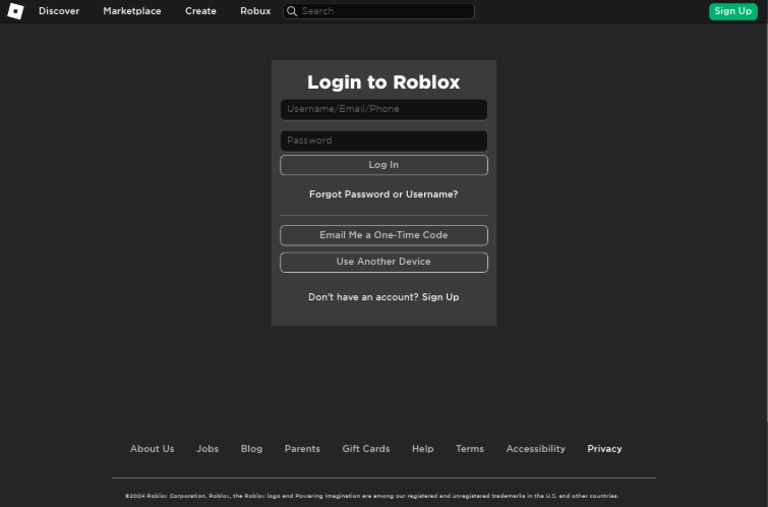
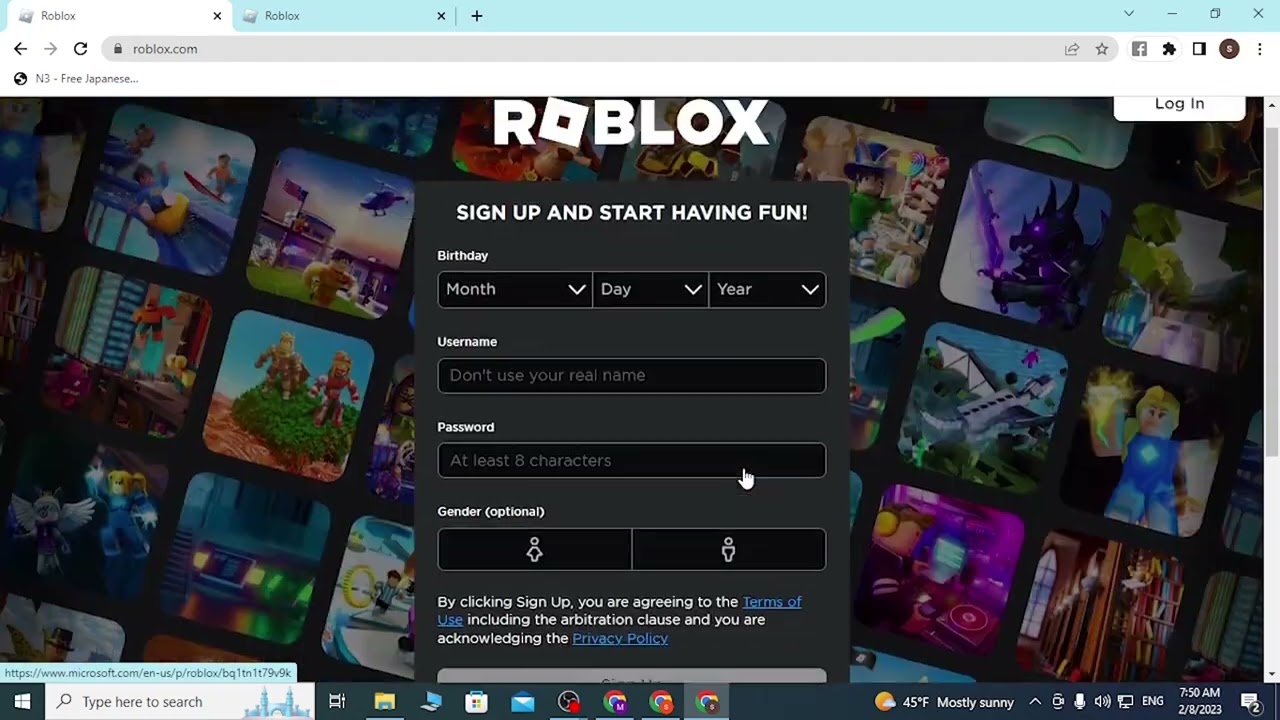
Signing in to Roblox on your computer is usually a straightforward process, designed to get you into the action quickly. First, open your preferred web browser and navigate to the official Roblox website. Once there, locate the 'Log In' button, typically found in the top right corner of the homepage. Click on this to bring up the login form.
You will then need to enter your username or email address associated with your Roblox account, followed by your password. It is crucial to ensure these details are entered accurately. After inputting your credentials, click the 'Log In' button. If successful, you will be redirected to your Roblox homepage, ready to explore games, chat with friends, and manage your account. Always double-check your CAPS lock and ensure you are using the correct account details to avoid unnecessary frustration.
What Are the Steps to Sign In to Roblox on a Mobile Device (iOS or Android)?
Mobile gaming offers unparalleled flexibility for busy gamers, and signing in to Roblox on your smartphone or tablet is designed for convenience. Begin by downloading the official Roblox app from your device's app store – either the Apple App Store for iOS or the Google Play Store for Android. Once installed, open the app.
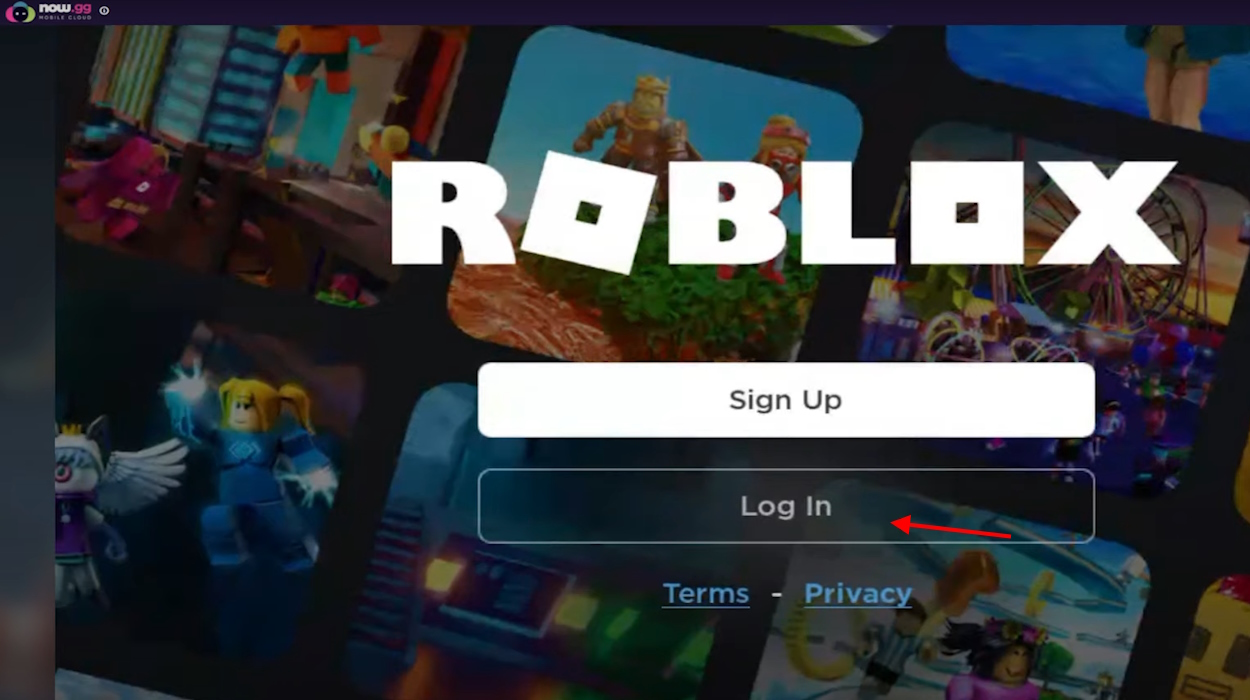
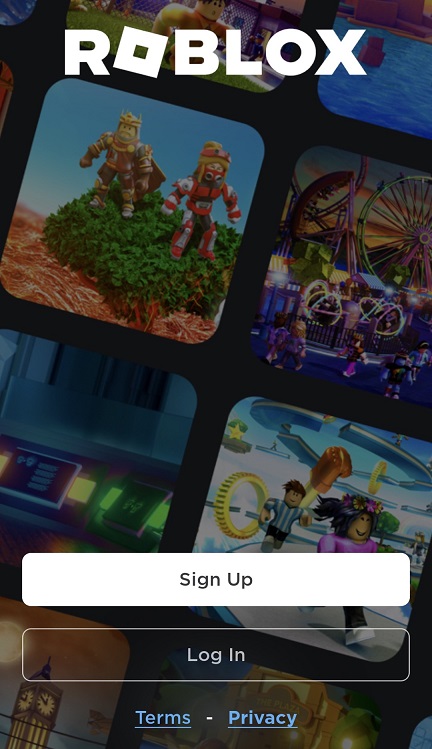
On the app's initial screen, you will see options to 'Sign Up' or 'Log In'. Select 'Log In'. Similar to the PC process, you will be prompted to enter your Roblox username or email and your password. Input these details carefully, then tap the 'Log In' button. The app will then load your personalized Roblox home screen, granting you immediate access to your favorite experiences on the go. Always ensure you are using the official app to protect your account security.
How Can I Sign In to Roblox on a Gaming Console (Xbox)?
For console gamers, Roblox extends its social and creative platform to Xbox. To sign in on your Xbox console, first, turn on your Xbox and ensure it is connected to the internet. Navigate to the Xbox Store and search for 'Roblox'. Download and install the application if you have not already. Once installed, launch the Roblox app from your games library.
Upon opening the app, you will typically be presented with a 'Sign In' option. Select this. Roblox on Xbox might require you to link your existing Roblox account. Follow the on-screen instructions, which often involve using a web browser on another device (PC or mobile) to visit a specific URL and enter a unique code displayed on your Xbox screen. This secure linking process verifies your account and logs you in, allowing you to enjoy Roblox experiences directly on your console. This cross-platform access is a key part of modern gaming, especially for adults who enjoy playing with friends regardless of their device.
What Should I Do If I Forgot My Roblox Password or Username?
Forgetting login details is a common pain point for gamers juggling multiple accounts and busy schedules. Fortunately, Roblox provides robust recovery options. If you forgot your password, go to the Roblox login page on either the website or the app. Look for the 'Forgot Password or Username?' link and click or tap it. You will then be asked to provide your email address or phone number linked to your account.
Roblox will send a password reset link to your email or a verification code to your phone. Follow the instructions in the email or enter the code in the app to set a new password. If you forgot your username, the same 'Forgot Password or Username?' link can help. Often, recovering your password first will also display your associated username, or you can use the email/phone recovery option to retrieve your username directly. Timely recovery means less downtime and more playtime.
How Can I Ensure My Roblox Account is Secure During Sign-In?
Account security is paramount in today's digital landscape, especially for adult gamers who might have Robux purchased or linked payment methods. To keep your Roblox account secure, always use a strong, unique password – ideally one that is complex and not used for any other online service. Avoid easily guessable information like birthdays or common phrases.
Enable Two-Step Verification (2SV) or Two-Factor Authentication (2FA) immediately. This adds an extra layer of security, requiring a code from your email or a dedicated authenticator app in addition to your password each time you sign in from a new device. Be wary of phishing attempts; always verify that you are on the official Roblox website (roblox.com) or using the official app before entering your credentials. Never share your password with anyone, even if they claim to be Roblox staff. These simple steps dramatically reduce the risk of unauthorized access, protecting your investment and peace of mind.
Why Am I Getting a Sign-In Error on Roblox and How Do I Fix It?
Encountering a sign-in error can be frustrating, especially when you have limited time to game. Common errors include 'Incorrect Username or Password', 'Too Many Login Attempts', or connection issues. The first and most frequent cause of 'Incorrect Username or Password' is a simple typo. Double-check your spelling, case sensitivity (usernames are not case-sensitive, but passwords are), and ensure you are entering the correct credentials for the specific Roblox account you intend to access.
If you see 'Too Many Login Attempts', Roblox has temporarily locked your account for a short period to prevent brute-force attacks. Wait 15-30 minutes before trying again. For connection issues, verify your internet connection is stable. Try restarting your router or switching to a different network. Sometimes, outdated app versions or browser caches can cause problems; ensure your Roblox app is updated, or clear your browser's cache and cookies. If problems persist, contacting Roblox Support with specific error messages is the next best step for a swift resolution.
Can I Stay Signed In on Roblox Across Multiple Devices?
Yes, Roblox allows you to stay signed in on multiple devices simultaneously, which is incredibly convenient for gamers who switch between PC, mobile, and console. This means you can play a game on your PC, then pick up your phone and join a friend's experience without having to log in again, provided you are using the same account. The platform is designed for this kind of cross-device fluidity, reflecting how modern gamers engage with their favorite titles.
However, for security purposes, if you sign in on a completely new device or your session expires due to inactivity or a major app update, you might be prompted to re-enter your credentials, especially if you have Two-Step Verification enabled. This is a protective measure to ensure only you are accessing your account. Always remember to sign out of devices that are not yours or shared to maintain privacy and security.
How Do I Log Out of My Roblox Account Safely?
Logging out is just as important as signing in, especially if you are using a shared computer, a public device, or letting a friend use your gaming setup. To log out on the Roblox website, click on the gear icon (Settings) typically located in the top right corner. In the dropdown menu, select 'Logout'. A confirmation prompt might appear; confirm your decision.
On the Roblox mobile app, tap the three dots (More) icon, usually in the bottom right corner. Scroll down through the options until you find 'Logout' and tap it. For Xbox, you can often find a 'Log Out' option within the Roblox app's main menu or by exiting the app completely and managing your account through the console's settings if necessary. Always log out of shared or public devices to prevent unauthorized access and protect your personal information and Robux.
Conclusion
Seamlessly accessing Roblox is key to making the most of your valuable gaming time. By understanding the straightforward sign-in processes for PC, mobile, and console, and by being equipped with troubleshooting tips and robust security practices, you can minimize interruptions and maximize your enjoyment. Whether you are recovering a forgotten password, setting up two-step verification, or simply logging in for a quick play session, these steps ensure your Roblox experience is secure, efficient, and fun. What's your biggest gaming challenge when trying to unwind after a busy day? Comment below and let us know how we can help you optimize your play!
FAQ Section
Q: Can I use an email address instead of a username to sign in to Roblox?
A: Yes, Roblox allows you to use the email address or phone number associated with your account in place of your username when signing in. This can be a helpful alternative if you often forget your specific username, especially for busy adults who manage many online accounts.
Q: Is there a way to sign in to Roblox without a password?
A: Roblox does not allow direct password-less sign-in for security reasons. However, if you have Two-Step Verification enabled, you might receive a login request or code to your email/phone, which acts as a second factor alongside your password to confirm your identity.
Q: What is Two-Step Verification (2SV) on Roblox and why should I enable it?
A: Two-Step Verification (2SV) is a crucial security feature that requires you to enter a code from your email or an authenticator app after entering your password when signing in from a new device. You should enable it to add an extra layer of protection, making it much harder for unauthorized users to access your account, even if they somehow obtain your password.
Q: My child plays Roblox. How can I manage their sign-in and account security?
A: For parents, managing a child's Roblox account includes creating strong, unique passwords, enabling 2SV, and discussing online safety. Roblox offers parental control features within account settings, allowing you to limit chat, friend requests, and spending, ensuring a safer sign-in and play environment. Regular checks of linked email addresses are also recommended.
Q: How long does a Roblox login session typically last?
A: A Roblox login session can last for an extended period, often several weeks or even months, especially if you tick 'Remember Me' and do not manually log out. However, sessions can expire due to major app updates, security prompts, or if you sign in on too many different devices, requiring a fresh sign-in for security. This balance ensures convenience while maintaining account integrity.
Q: Can I sign in to Roblox using my social media accounts?
A: Currently, Roblox primarily uses its own account system for sign-in, requiring a unique username/email and password. It does not typically support direct sign-in via third-party social media accounts like Facebook or Google for security and platform independence reasons.
Effortless Roblox sign in on all devices, quick troubleshooting for common login errors, enhanced account security best practices, seamless access to social gaming experiences, step-by-step guides for PC and mobile platforms.
35
Pin By Helena On Jack Och Melker Och Juventus Roblox . Ng Nh P B Ng Email D Ch V H Tr C A Roblox. Is There A Way To Play Roblox Without Downloading It Beebom Log In Option In Now GG Roblox . Roblox Com Login PDF 1. Roblox Sign Up And Login Roblox Apps On Google Play


How To Sign Into Roblox Easy Login Methods 2026 YouTube . How To Do Quick Sign In On Roblox Roblox Quick Sign In Explained . How To Sign In Roblox In Laptop And Comuter Technico Unlimited YouTube . Roblox Joins On How To Enable Them In 2026 Appear Offline On Roblox Step 13 . Roblox Annual 2026 Toys And EB Games Australia Large


Roblox Login H Ng D N Ng Nh P V B O M T T I Kho N To N Di N Roblox Login Screen . Roblox Sign Up And Login Roblox Apps On Google Play Roblox Sign Up 2 . The Newest Roblox Account Whats The Buzz Roblox Login How To Create A New Account . All Roblox Sign Up Screen Logos BGs Mod For Roblox RBLX Mods . Roblox Login How To Create A New Account 2022 Beebom Sign Up Screen




Roblox Beginner S Guide And Tips GameSpot 4541326 Roblox Beginners Guide Sign Up . ROBLOX IN 2026 YouTube Hqdefault . A Mother Or Father S Information To Utilizing Roblox In 2026 Ivugangingo 2026 Parental Guide For Roblox Usage UnicMinds . 100 Unofficial Roblox Annual 2026 4687858526 5 . How To Publish A Game On Roblox In 2026 Roblox YouTube


How To Install Mods In Minecraft On PC How To Login To Roblox . Roblox 2026 New Logo REVEAL First Look At The Future Shorts YouTube Oar2 . Definitive Guide To Roblox 2026 TM 07169 AU 19 60 Football Heaven TM 07169 Definitive Guide To Roblox 2026 . How To Create A Roblox Account In 2026 What You Need Roblox Studio Home . Roblox In 2026 YouTube



Roblox 2026 YouTube Oar2 . Act Up Uncensored Roblox Is It Possible In 2026 1200x630wa . Roblox 2026 Logo REVEALED New Color New Look YouTube Maxres2 . Roblox Everywhere Bringing Roblox To Two New Platforms Roblox. Roblox In 2026 Play On Roblox NoFilter


How To Create New Roblox Account In 2023 Roblox 1 . Roblox Login Guide How To Use It On Both PC And Mobiles 51 OFF . How To Login To Your Roblox Account Youtube What Is Roblox S Password . How To Login Roblox Account Roblox Sign In YouTube . How To Log In To Roblox In Mobile Login New Roblox Account 2024